

Initiate Payment to Hourly Contractors
Login to Trackabi
https://bingodigital.trackabi.com/
Audit Trackabi hour
(coming soon)
Generate timesheet report
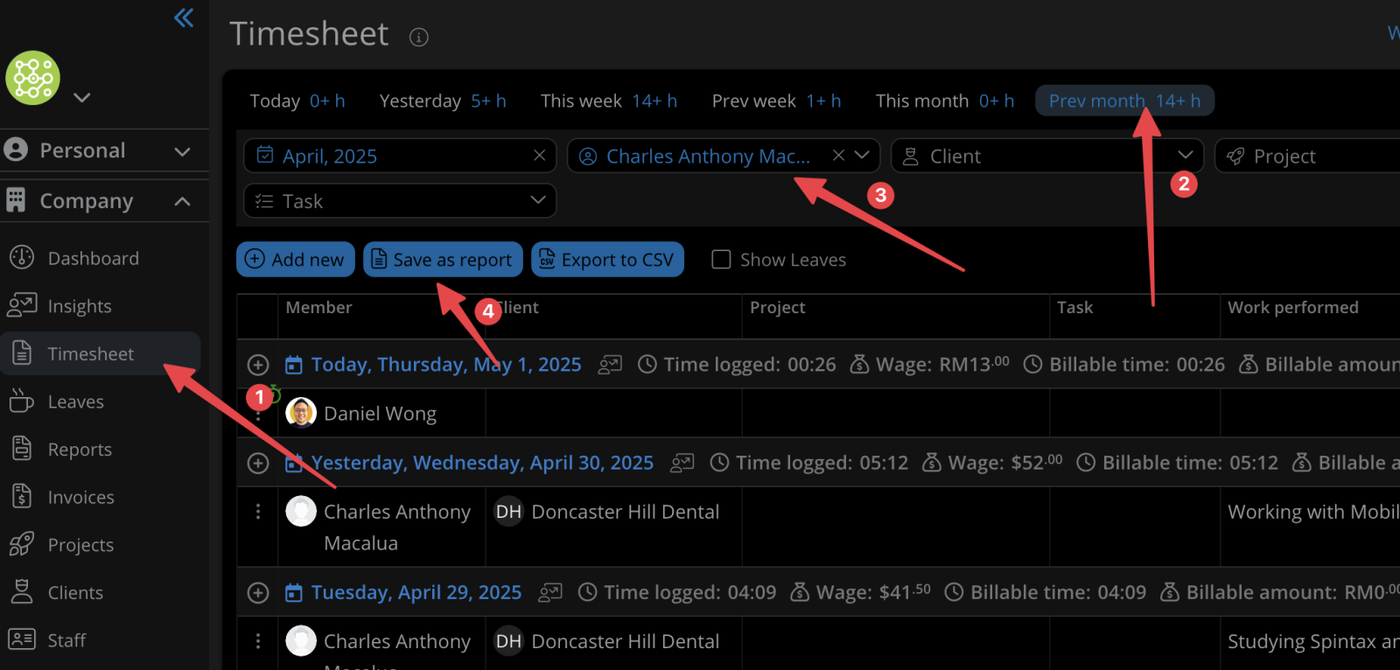
Step 1
click on Company tab → Timesheet
choose previous month
choose specific member
Step 2
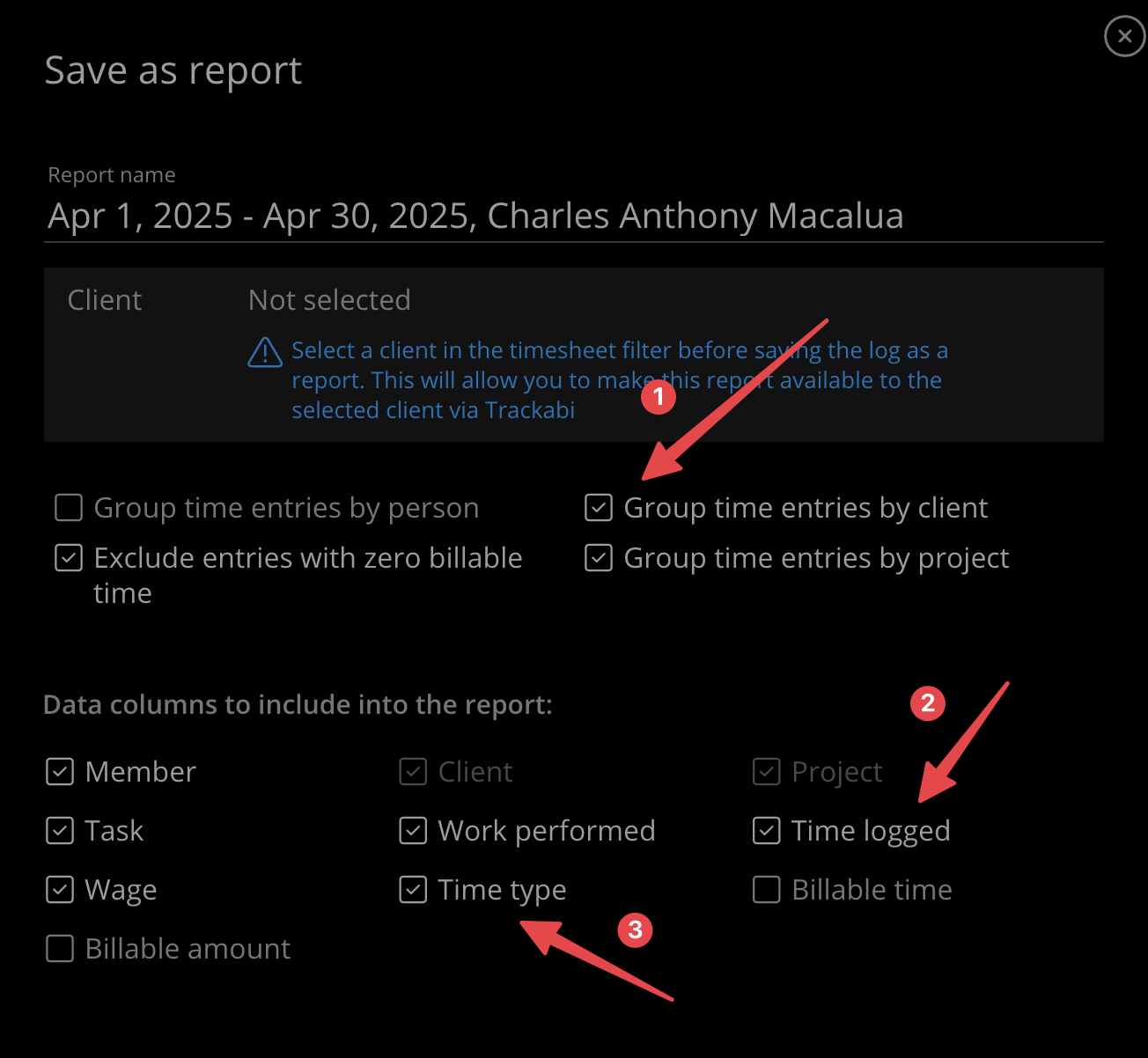
Make sure these options are checked
Step 3
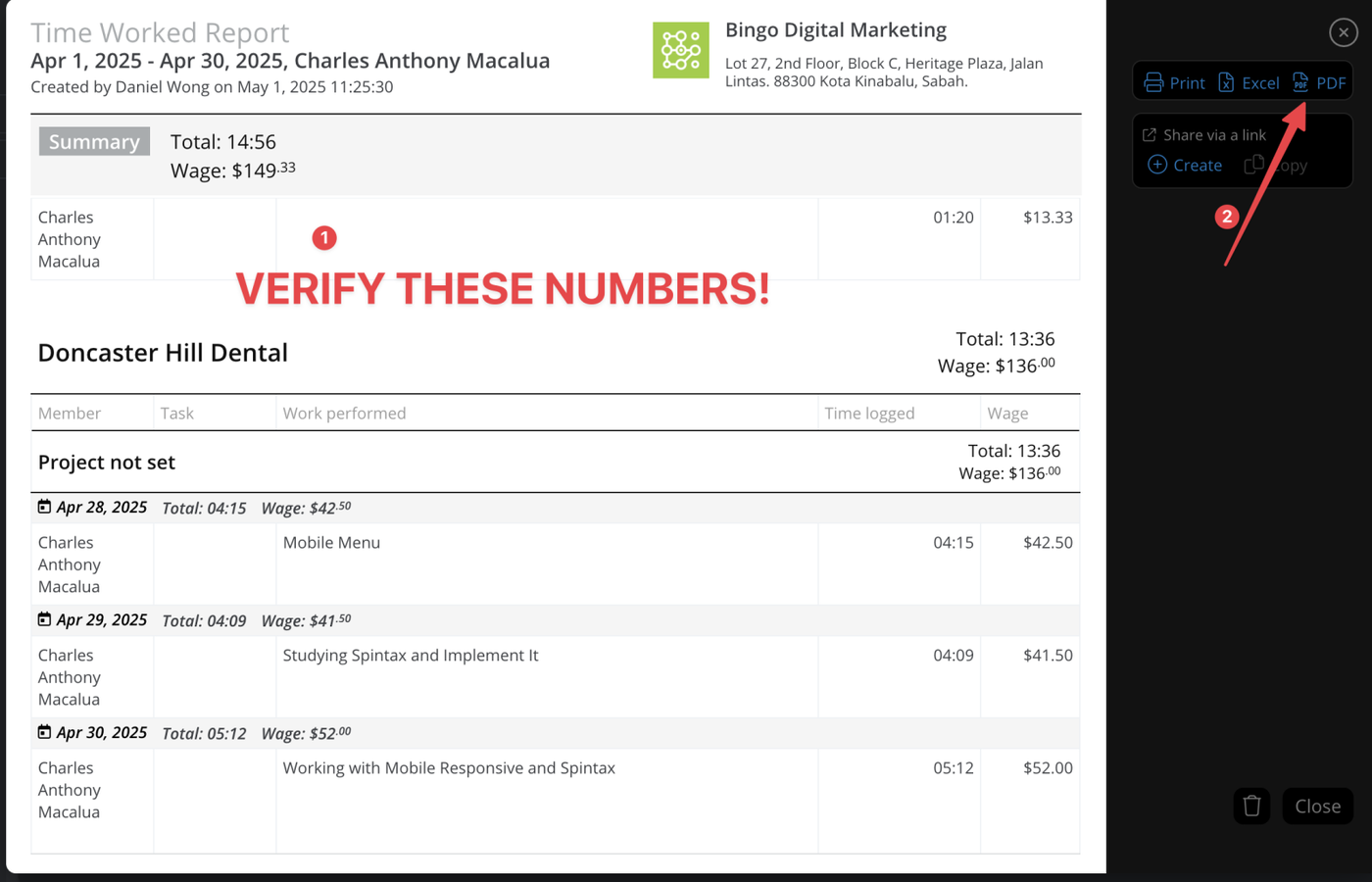
Re-check if these numbers are correct
Generate PDF, and download it
Initiate payment
Send the PDF reports to Bryan via Slack (https://bingodigitalmarketing.slack.com/archives/DC8K24H43)
Ask him to initiate payment to the team members
Send Paypal as "friends and family"
or else Paypal might hold their payment for 15 days.
