Integrate Google Business Profile | Import Existing Reviews
Import Reviews by URL
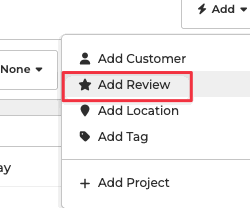
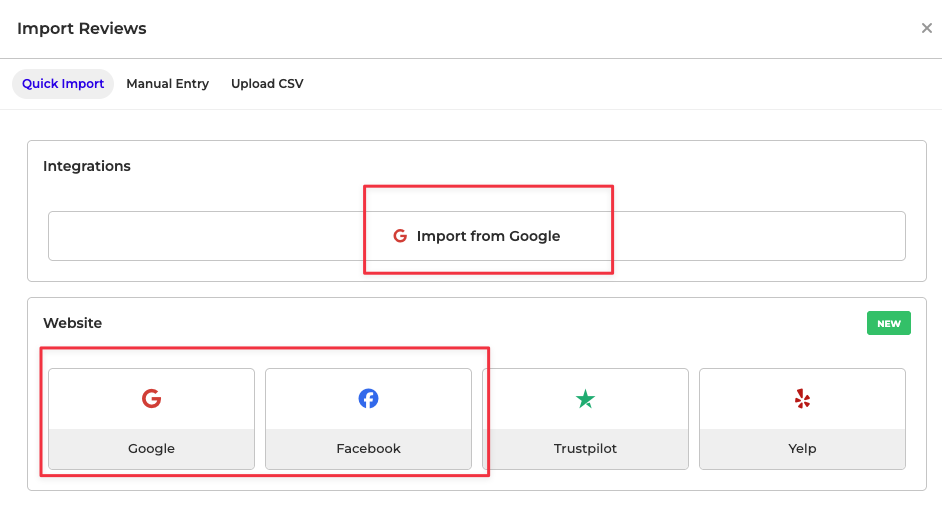
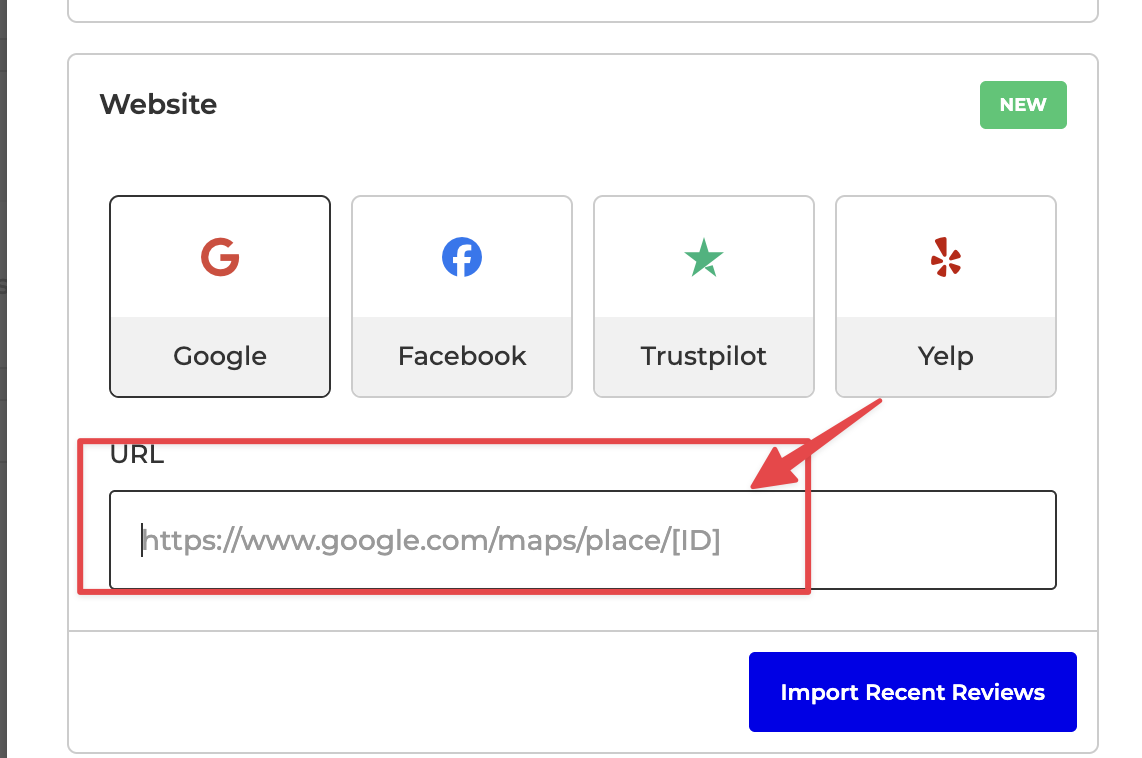
You can now import recent reviews from Google, Facebook, Trustpilot, and Yelp by simply entering your business URL from these platforms. It’s a quick, credential-free way to bring external reviews into the platform. More sources will be added over time. You can see this feature in action by clicking the Import button on the Reviews page.
https://moregoodreviews.com/reviews
How to find Place ID?
Here are three methods:
Google Place ID Finder Tool:
- Visit the official Google Place ID Finder.
- Type in your business name or address in the search bar.
- Your Place ID will appear on the map in a pop-up box next to your business name.
Google Maps:
- Open Google Maps in your browser.
- Search for your business location.
- Right-click on your business marker and select "What’s here?"
- The Place ID will be in the URL bar. It usually follows the placeid= parameter.
GMB Everywhere (Chrome Plugin)
- Download GMB Everywhere Chrome plugin
- Sign up for an account
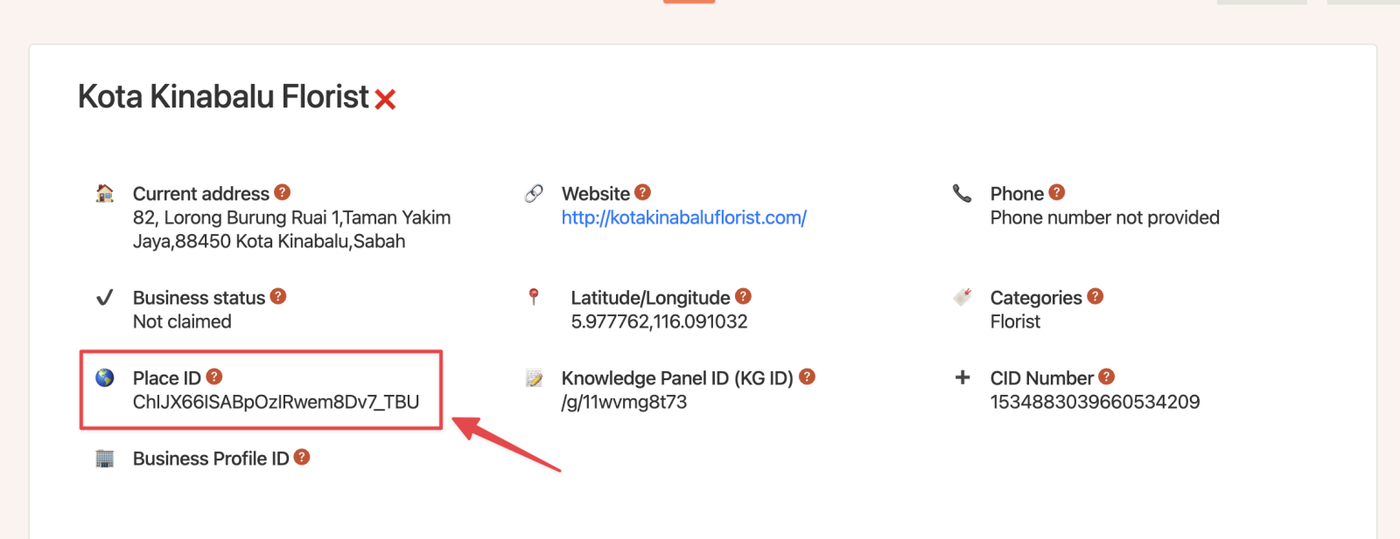
- Search for Business name in Google Map, find the client's business listing, and click on "Basic"
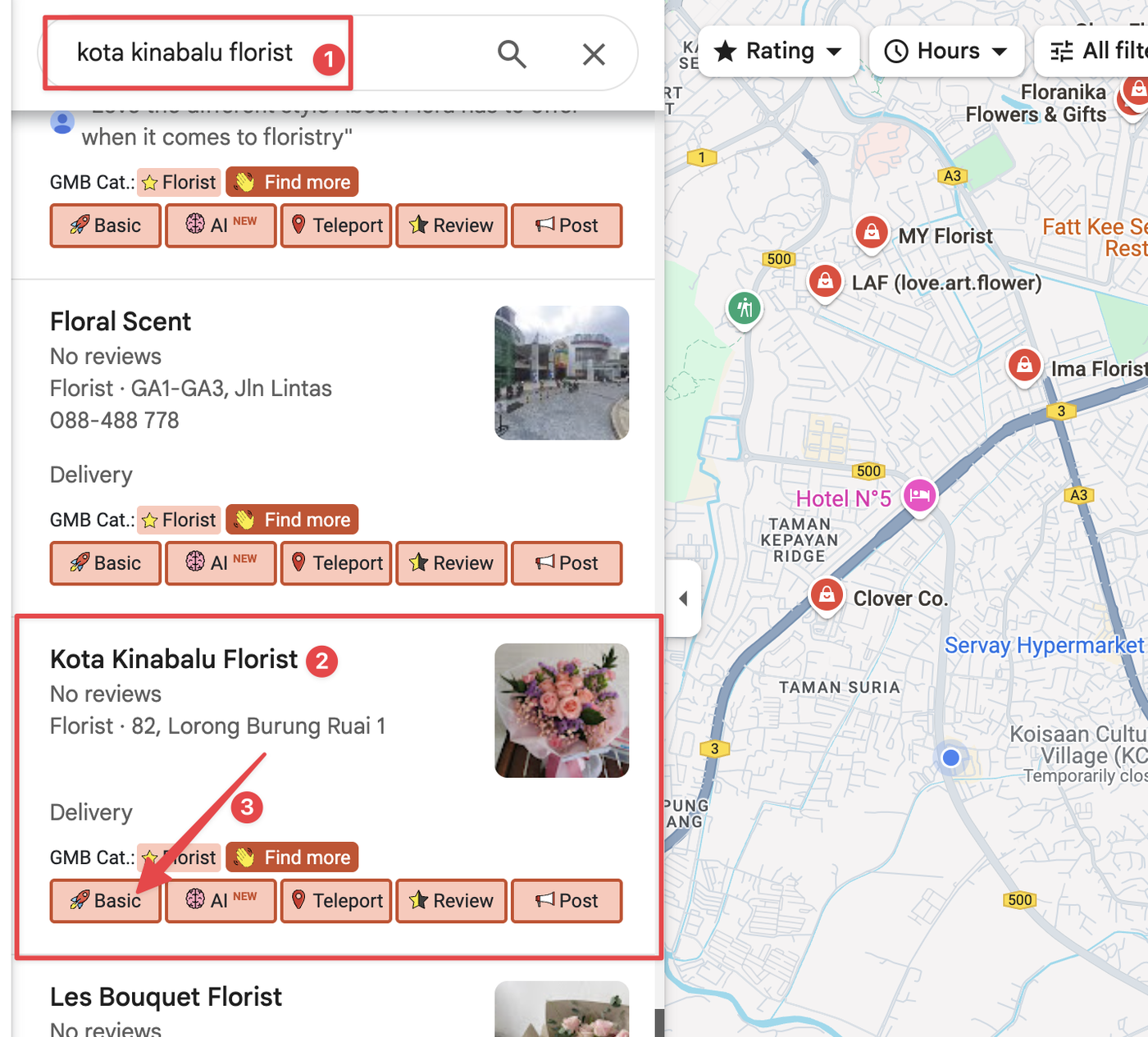
And you can get all information here