GBP optimization
What is Google Business Profile Optimization?
this SOP is still work in progress ✅
Summary
-
Connect account & verify
-
Generate report for before/after + monthly report
-
Optimize the business profile
-
Recurring posts (if any)
-
get reviews (if any)
Connect GBP Account & Verify
-
search business name on Google, find client business listing
-
choose "claim business"
-
see who owns the listing, and send "request access", add as manager
-
ask the client give permission
Local Map Tracking
-
add client GBP listing to https://local.ratingcaptain.com/
-
generate report for before/after
-
add keywords to rank tracker (idea: choose most relevant kw, with high intent, choose from search console if available)
-
choose 3x3 KM
-
generate report
-
Optimize Business Profile (Quick Wins)
-
get real photos
-
immediately get 10+ reviews from old customers
-
fill out business hours and everything
Setting up and Optimizing a Google Business Profile:
Initial Setup:
-
Gain administrative access to your Google Business Profile
-
Add accurate business categories
-
Create a detailed business description with relevant keywords
Visual Content:
-
Add engaging, high-quality photos
-
Include images with smiling faces
-
Showcase ambiance and products/services
-
Upload photos that highlight your business environment
Services and Products Setup:
-
List specific services as products
-
Differentiate between products and services clearly
-
For service businesses: convert website services into product listings
-
Cross-reference cornerstone pages from your website
Content Management:
-
Create and maintain regular posts
-
Use BrightLocal for content scheduling and posting
-
Set up a content calendar for consistent updates
Directory Management:
-
List your business on local directories like Yelp
-
Ensure consistent information across all platforms
-
Register on relevant local business directories
Review Management:
-
Set up automated feedback request systems (e.g., using GoReview *if client subscribed)
-
Implement a strategy for collecting five-star reviews
-
Actively respond to and manage customer reviews
Performance Tracking:
-
Use BrightLocal dashboard for monitoring performance
-
Track keyword rankings
-
Analyze local search performance
-
Monitor visibility metrics and engagement
Add to BING Places (Quick hack!)
-
go to bingplaces.com, add your Google profile and click on the "one button sync"
Encourage and Manage Reviews
-
Positive reviews on Google, Yelp, and other platforms improve your local search rankings.
-
Respond to reviews (both positive and negative) to show engagement and build trust.
(Optional) Want to Rank Higher on Google Maps?
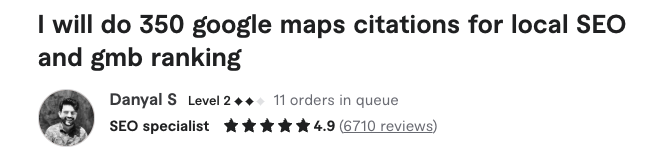
Build more citation links:
hire Fiverr: https://www.fiverr.com/s/YRjoRpN for $175