

Import Old Customers Database (optional)
⚠️ THIS IS AN UPSELL SERVICE
Choose one method to import customers
- Manual Entry
- Upload CSV
- BCC
Manual Entry
You can manually enter customer data directly in our app. While it is not an automated solution, it is a simple way to get started
Upload CSV
You can upload a CSV file to import thousands of customer records at once. It is a convenient way to get started quickly. We accept the following values:
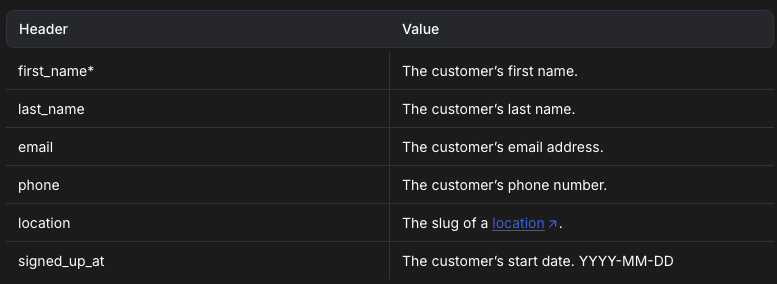
Location link here
Download an example CSV template, here.
How to add "+6" in front of missing CSV?
-
import CSV to Google sheet
-
add a new column next to phone column, e.g. column Eadd this function: (where column D is the phone number)
=IF(LEFT(TRIM(D2), 1) = "+", TRIM(D2), IF(LEFT(TRIM(D2), 1) = "6", "+" & TRIM(D2), "+60" & TRIM(D2)))
How to Separate First Name From Last Name?
- Create multiple new column right to "first_name". For example "first_name" is Column A, create Column B C D E F
- In Column B, add this formula =SPLIT(A2," ")
- Change to A2, or B2, or C2 depending on the column content
-
Adjust the "first_name" to the specific column
This error will show up if columns are not created enough (client has long name)
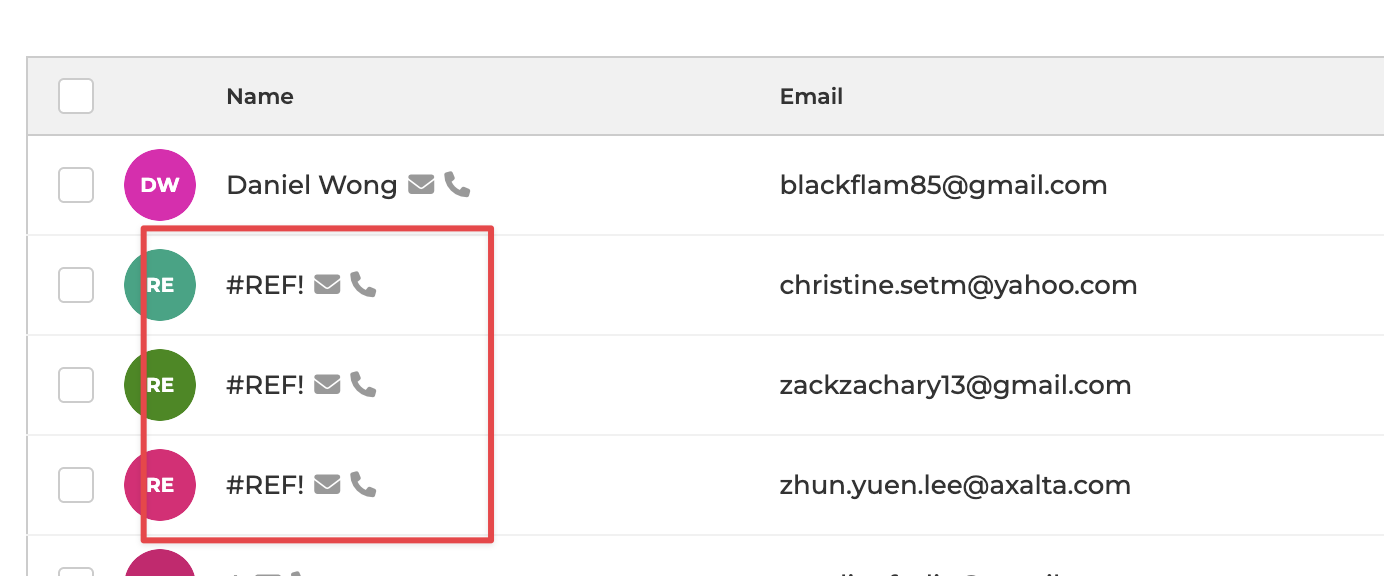
... just delete it if accidentally imported.
