

Add New Customer Database via Pabbly Integration
Integrations
Pabbly Connects (recommended)
Send customer data into GoReview from thousands of 3rd party apps and CRMs with an app connector. If you are not familiar with using APIs, this solution is perfect for you, and it will allow to work with just about any service to get your customer data into the platform.
Login to Pabbly
https://accounts.pabbly.com/login/?s=connect
- blackflam85@gmail.com
- (password)
*Currently using personal Gmail account blackflam85@gmail.com, this part will be setup by Daniel for time being
What Platform is The Client Using?
- WooCommerce
- Others - coming soon
WooCommerce Customers
Clone the existing workflow
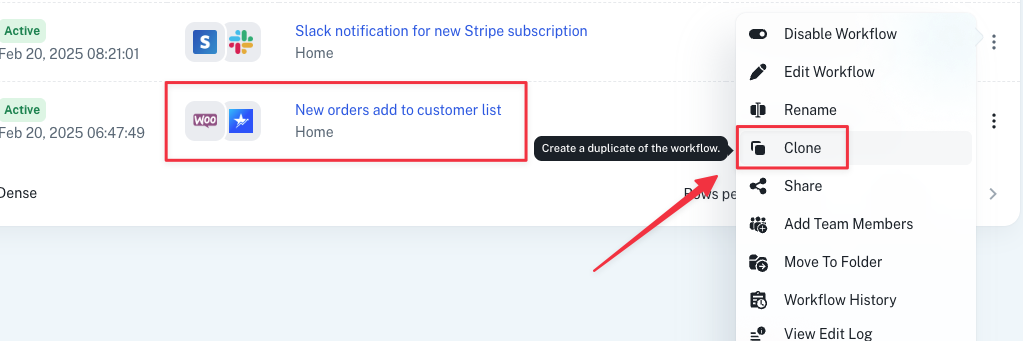
Rename workflow
[WORKFLOW] → GoReview [CLIENT] e.g. NEW WooCommerce ORDERS → GOREVIEW Database [KKFLORIST]
Trigger
CHOOSE APP WooCommerce
TRIGGER EVENT New Order Created
WEBHOOK URL (copy it)
Then follow the instructions at Pabbly...
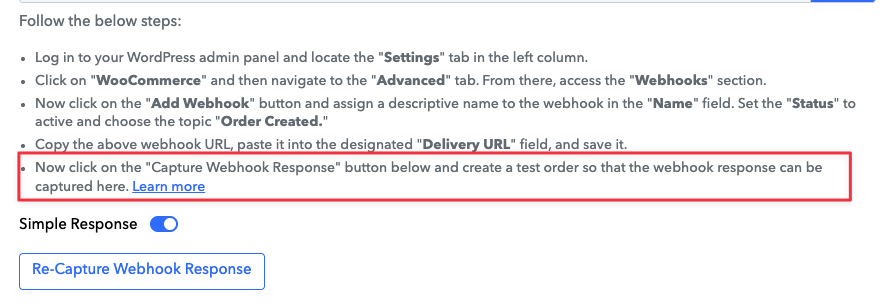
... and capture Webhook Response.
Trigger Setup Successfully
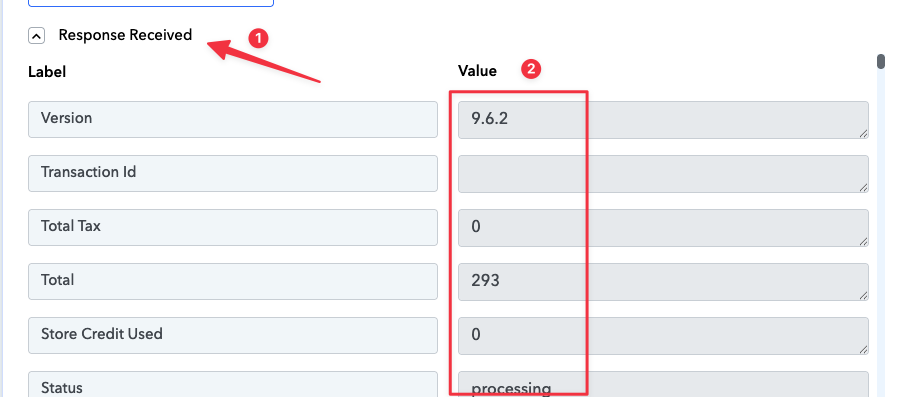
You will see a lot of value appears in the response, just like this
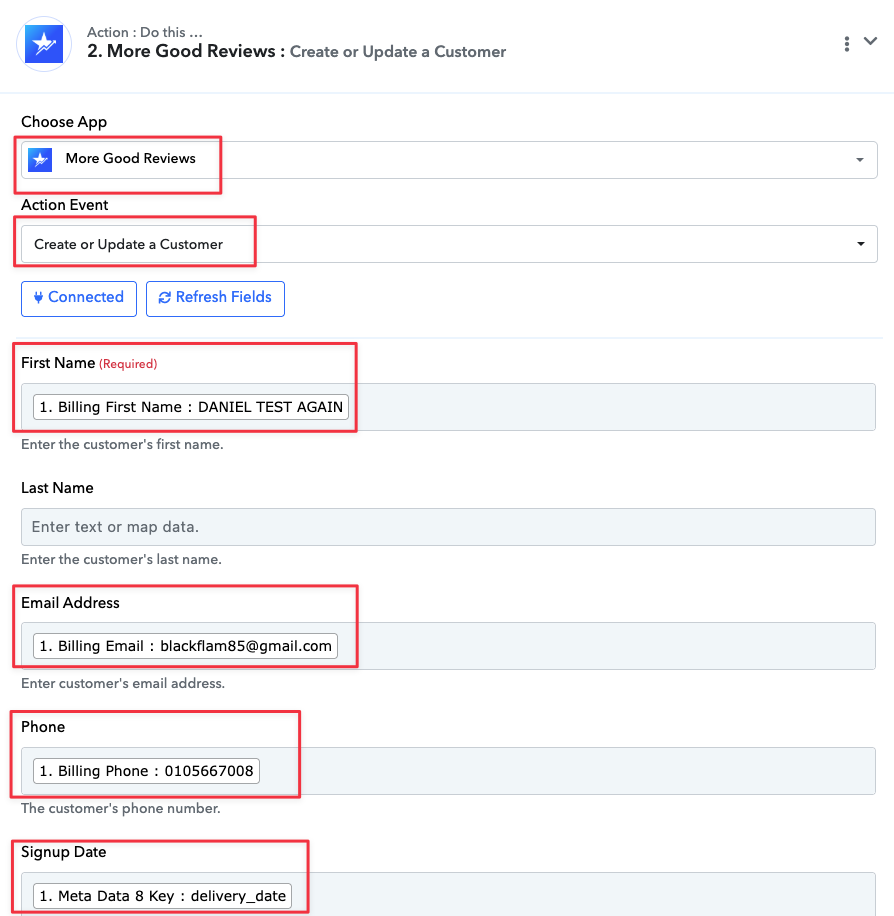
Action
CHOOSE APP More Good Reviews
ACTION EVENT Create or Update a Customer
FIRST NAME choose Billing First Name: DANIEL WONG
EMAIL ADDRESS choose Billing Email: blackflam85@gmail.com
PHONE choose BIlling Phone 0105667008
SIGNUP DATE choose Meta Data 8 Key : delivery_date
(the rest not mentioned, can leave it blank)
Test and Revise If Necessary
 Turn On The Workflow

