

Generate Proposal and Quotation
Step 1: Write Down Client Requirements
I usually write down all the meeting minutes after talking to the client, saved at Evernote (personal preference)
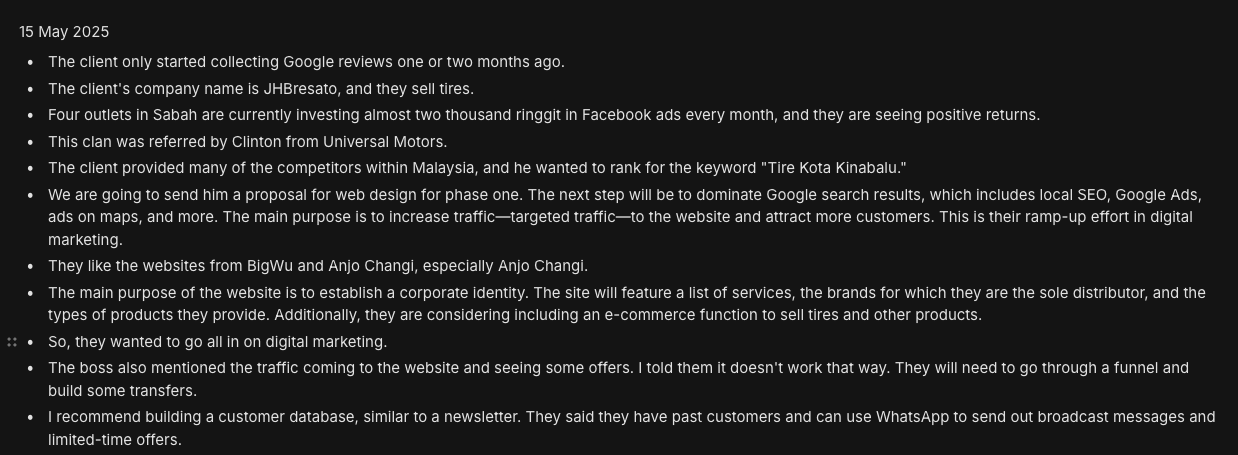
Step 2: Generate Proposal
Go any LLM (I prefer Claude 3.5), and put in these prompts
Prompt:
Write me a website design proposal for a [industry] client. The client business name is [businessname].
[industry] =
[businessname] =
[target market] =
The target audience is [target market].
Background of the company. What do I know about the client during the meeting, and their pains?
<meetingminutes>
INSERT MEETING MINUTES HERE
</meetingminutes>
The web design proposal has 6 main sections: Overview, Goals, Target Market, Timeline (6-8 weeks), Sitemap for Website, Reasons for web design, Digital Marketing Strategy (recommendation).
For the Sitemap, only suggest the main pages and sub-main pages, key elements for each page are not necessary. maximum up to 10 pages for both main an sub-main pages for the sitemap section in this proposal (eg. Main Pages are: home, about, services. Sub-main pages are: locations, team, blog, archive, career, contact, FAQ, etc.) Do not include filler pages in the sitemap.
For the Digital Marketing Strategy, use this format: [service]: [description & expected results]
Also produce a tagline on top of the proposal. Rewrite this tagline, “We're not only building website, [we're designing a dental brand tooth-patient trusts]” to match the client’s industry.
Write in detail, no yapping. Remove formatting.
Step 3: Generate Proposal & Quotation via Freshbooks
How to duplicate existing proposal:
Login to FreshBooks
Go Estimates → search for "[TEMPLATES] Web Design 2025", duplicate it.
Copy paste results generated in LLM.
Remove irrelevant price items
Download Proposal as PDF
Step 4: Send to Client
*Web Design Proposal from Bingo Digital Marketing*
Hello FIRSTNAME
It was great chatting with you!
Below, you can find the PDF to your custom proposal. This includes info about the project, deliverables and cost.
I look forward to collaborating!
Best regards,
_Daniel W._
Step 5 Attach PDF file
Download from Freshbooks, and upload as PDF attachment.
Step 6: Send Loom video
- Go through every section of the video to explain
- Send to the client
